How to Integrate AI Lessons into CAPS
This blog offers South African teachers practical ways to integrate AI education into the CAPS curriculum across primary and high school levels.
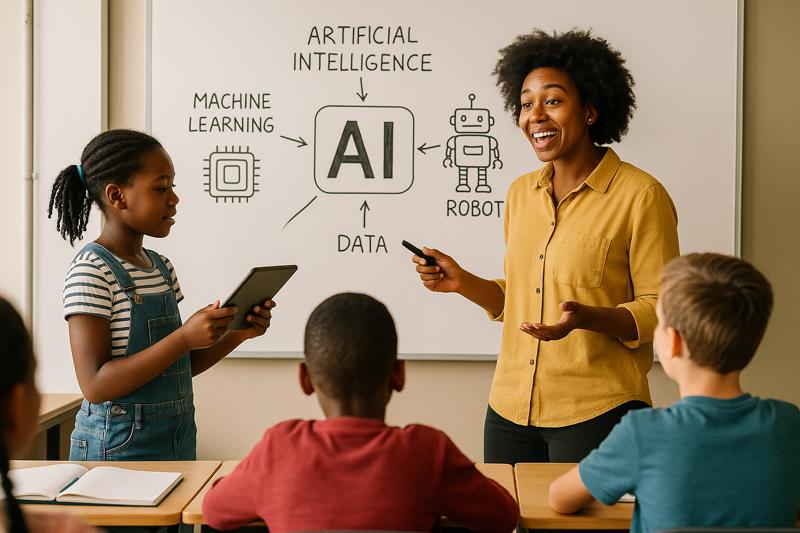
South Africa’s education system is preparing students for a rapidly changing world. Artificial intelligence (AI) is part of many industries and communities, so introducing AI ideas in schools can help learners develop important skills. AI here means computer systems that can perform tasks requiring human-like thinking, for example, recognizing speech, learning from data, or making decisions. Teaching these ideas early helps demystify technology for learners. The CAPS curriculum provides the foundation for what students learn. Teachers can enrich CAPS lessons by adding examples and activities related to AI in subjects like Technology, Mathematics, Natural Sciences, and Life Orientation.
Integrating AI into CAPS Subjects
-
Technology and Computer Applications: These subjects already involve problem-solving and design. Teachers can introduce AI concepts like algorithms and automation. For young students, use logic puzzles or block coding to show how a computer follows instructions. Older students might experiment with robotics kits or simple coding projects that use basic AI principles. Even drawing a simple flowchart on the board can illustrate how sequences of instructions (an algorithm) produce a result.
-
Mathematics: AI is built on patterns, data, and logic, which align with many maths topics. When students handle data or draw graphs, explain that these tasks mimic how AI finds patterns and predictions. Lessons on probability or sequences can highlight the concept of following clear steps (an algorithm). Even a classroom activity, like displaying a repeating number sequence and asking students to continue it, can show how following a fixed rule generates an answer. This illustrates how an AI algorithm uses rules to solve problems.
-
Natural Sciences: Science lessons on classification, ecosystems or experiments fit with AI ideas. For example, sorting animals or plants by features is similar to how an AI classifier works. When students gather data and make predictions, they are doing a simple version of AI analysis. For instance, charting how plant seedlings grow differently in light versus shade shows a clear pattern; an AI would notice the same pattern in data. These activities emphasize observation and pattern-finding, core aspects of both science and AI.
-
Life Orientation: This subject covers ethics, social issues and personal well-being. AI raises questions about privacy, fairness and responsible use of technology. Teachers can discuss everyday AI scenarios (for example, how a voice assistant or a social media feed works). Such discussions teach digital citizenship and safety, like what information we share with technology and why it matters. For example, ask whether it is safe to give personal information to a chatbot or a phone app, and explain why we should keep some details private.
By linking AI ideas to familiar subjects, teachers help students see that technology relates to everything they learn. For example, in a Maths lesson use local weather data, or in LO talk about apps the students actually use. This makes AI concepts concrete and relevant to South African learners.
Example AI Activities by Grade Level
Grades 4–6 (Intermediate Phase)
These younger students learn best through play and clear examples. Use active, hands-on activities to make AI ideas fun and simple. For example:
-
Robot Role-Play: Play a game where one student acts as an “AI robot” that can only answer yes/no questions. The class asks it questions to guess an object. This activity shows how computers follow clear rules (an algorithm) to make decisions. It teaches basic logic without any technology.
-
Sorting Games: Give students mixed pictures or objects (for example, cards showing different animals, plants or everyday items) and ask them to sort by a rule (such as habitat or color). Then explain that a computer can do a similar task by using patterns and labels. This helps students understand categorization.
-
Everyday AI: Talk about technology students already use. For example, discuss a voice assistant on a phone or how a video app suggests shows. Ask how these systems seem to know the students’ preferences. This leads to a simple discussion about data and privacy: for instance, whether it is okay to share personal information with technology and why.
These activities require no or very minimal technology. They rely on group work, discussion and imagination. Even without computers or internet, children grasp the basic ideas of AI through play.
Grades 7–9 (Senior Phase)
At this level, students can tackle small coding tasks and more abstract thinking. You can introduce basic algorithms and data analysis. For example:
-
Basic Coding and Chatbots: Introduce programming with blocks or simple scripts. For example, use Scratch to build a basic chatbot or interactive story (students write patterns like “if reply is hello, the program answers hi”). This shows how rules create responses. If a computer is available, let students experiment with a simple text-based program or a free chatbot demo to see how AI can simulate conversation.
-
Data and Classification: Have students collect and graph data (for example, record daily temperature or rainfall over a week) and look for trends. Alternatively, give students printed pictures and ask them to group them by a rule (such as type or size). Explain that identifying patterns and sorting information is what an AI does with data. This can be done on paper or a spreadsheet, showing how computers use math and statistics.
-
Ethics and Digital Citizenship: In Life Orientation, discuss realistic AI scenarios. For instance, ask what happens if a student uses a voice assistant or an app to get homework answers. Is this fair? What if the answer is wrong? What information is the student sharing? These discussions build awareness of responsible technology use, helping students think critically about how they use AI tools.
-
Automation Brainstorm: Ask students to list chores or tasks they do at home or school (for example, watering plants, sorting books). Then discuss how a machine or computer could perform one of those tasks. Let them outline simple steps the “AI” would need (for example, sensing soil moisture and turning on a pump). This shows how precise instructions enable automation. It highlights that computers need very clear instructions (an algorithm) to carry out tasks.
These projects might use online tools if available, but they also work offline through discussion and planning. Encourage students to think of real-world AI examples and relate them to their subjects (for instance, classification in science or patterns in math).
Grades 10–12 (FET Phase)
Older students can dive deeper into complex ideas. Encourage data-driven projects, advanced discussions and ethical debates. For example:
-
Data Analysis and AI Projects: Use accessible tools for hands-on learning. In Maths or Science classes, have students use a spreadsheet or graphing calculator to plot data (like student heights vs. ages) and find trends. Explain that finding the best-fit line or curve is similar to how an AI makes predictions. If possible, introduce a simple linear regression or classification exercise (even in outline form) to show how AI uses math. For instance, let them predict future values based on a pattern.
-
AI Tools and Critical Thinking: Demonstrate an AI assistant (such as ChatGPT or a translation app) in class. For example, ask it to summarize a South African news story or translate a sentence and compare the result to a student’s work. Discuss what the tool got right or wrong. This teaches that AI can be helpful but also has limitations. Students learn to evaluate AI output critically – a key 21st-century skill.
-
Ethics, Society and Careers: In Life Orientation or Career Guidance, explore AI’s impact on society. Debate questions like: How does AI affect jobs and privacy? Use South African examples (for instance, algorithms used in local banking or agriculture). Students could research a real case, such as an app for farmers or a job-matching platform, and present how AI is being used. Discuss concerns like bias (for example, “What if an AI favors boys over girls?”) and fairness. These activities prepare students to think about the future workplace and their roles in it.
-
Student Projects: Encourage final-year projects or presentations on AI topics. For example, a group could design a simple chatbot scenario, make an AI poster or write a short report on AI in medicine. These capstone-style projects integrate creativity, research and technology. They can be done with minimal tech by using drawings or written plans if devices are scarce.
These lessons assume some access to technology but can be adapted. If only one computer is available, project it for the class and have students discuss or work on paper. The key is to give older students a taste of real AI tools and deep thinking about their implications.
Adapting AI Lessons to South African Classrooms
South African schools face diverse challenges. Many have few computers, limited internet and large classes. Teachers must therefore be flexible and creative. For example, they can use physical games, role-play and group discussions instead of relying on online tools. Lessons can be taught in local languages whenever possible, and examples should use the students’ own experiences. The following strategies help tailor AI lessons to local realities:
-
Low-Tech Activities: Many AI concepts can be taught without any devices. Use games, role-play or drawings. For instance, students can act out the steps of an algorithm or manually sort items as an “AI classifier.” These activities need no internet or gadgets, yet clearly illustrate how computers think in rules and patterns.
-
Shared Resources: When computers or tablets are limited, share them in groups. One device can be projected to the whole class while students watch or copy notes. Then let small groups take turns for hands-on practice. Even a few smartphones can help: try simple AI-related apps or record voice-to-text demos in turns. This way, every student gets some exposure despite limited hardware.
-
Alternate Tech Access: Explore community resources for technology. If the school has few devices, look for a nearby library, community centre or another school with a computer lab. NGOs, tech companies or local businesses might lend equipment for special lessons or workshops. Even occasional access lets students experience real AI tools and keeps them excited about learning.
-
Local Context and Languages: Use examples from daily life and students’ cultures. For instance, discuss how a phone assistant might understand voice in an African language, or how a local TV app recommends shows based on viewing habits. Relating AI to familiar apps, local environments or community issues makes the topic relevant and inclusive. Teaching in the language students are strongest in can also make complex ideas easier to grasp.
-
Teacher Collaboration: Work with colleagues and the wider school community. Share any AI lesson materials you create with fellow teachers. If one teacher has a computer or internet at home, they could prepare content for others to use. Keep an eye out for workshops or training from the district or universities on new technologies. Building a support network of teachers who experiment together helps spread good ideas and resources.
These approaches make AI learning feasible even in resource-constrained settings. By mixing discussion, analog examples and occasional tech use, teachers can introduce AI without needing a high-tech classroom.
Resources and Support for Teachers
Educators don’t have to tackle this alone. There are resources to help bring AI into the classroom:
-
AIExplorers (www.aiexplorers.co.za): This South African platform offers ready-made AI lessons and activities for local schools. The content is age-appropriate and aligned with CAPS outcomes. Exploring their resources can give teachers practical ideas on how to include AI concepts in various subjects across different grades.
-
Other Supports: Look for materials from the education department or local organizations. The DBE and some NGOs sometimes share digital skills guides and workshops. Connect with fellow teachers to exchange lesson tips or materials. You can also use free online tutorials when internet is available (for example, Scratch coding lessons). Teachers themselves can study as well: free online AI courses or webinars (in any language) can boost a teacher’s confidence in the subject. Staying curious and learning a bit about AI will help you teach it better.
By tapping these resources, teachers can gain inspiration and ready-to-use content. Over time, as more local examples and training become available, AI education will become even more accessible for CAPS teachers.
Conclusion
Integrating AI into the CAPS curriculum doesn’t require starting from scratch. By weaving AI concepts into existing Technology, Mathematics, Natural Sciences and Life Orientation lessons, teachers make the content more relevant and engaging. Simple activities, games and discussions can bring AI ideas to life even with limited resources. This approach builds students’ digital literacy and critical thinking from a young age. By adapting lessons to local needs and using practical examples, educators help prepare South African learners for a future where technology plays an ever-increasing role. In the end, every small step – from a sorting game to a class discussion about technology – builds students’ confidence and prepares them for that digital future.